
Betkali Kenya Mobile App
The Betkali Kenya Android app delivers betting and casino games directly to your phone—15MB download that installs in under a minute on most Kenyan networks. Place accumulators on KPL matches, spin slots during your Nairobi commute, play Aviator from anywhere with 4G coverage. M-Pesa deposits clear in 2-3 minutes through the app interface.
 Download APK
 Open Mobile Site
Android App Specifications
The APK file weighs 15.2MB, requires Android 5.0 or newer. Compatible with most smartphones sold in Kenya since 2018—Samsung Galaxy A series, Tecno Spark models, Infinix Hot devices, Oppo A series all run it without issues. Installation takes 45-60 seconds on a decent connection, maybe 90 seconds if you're on 3G in areas like Kisumu or Nakuru where network speeds fluctuate.
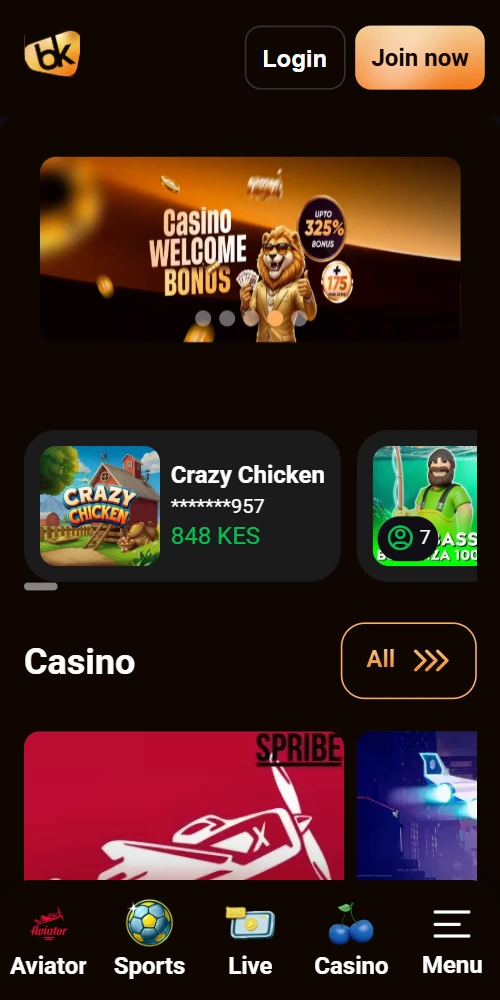
App version 2.1.4 (current as of February 2026) includes push notifications for bet settlements, live odds updates that refresh every 3-4 seconds, biometric login for phones with fingerprint sensors. The interface mirrors the desktop site but with touch-optimized buttons—larger tap targets for placing bets, swipe gestures to switch between sports and casino sections. Battery consumption sits at around 8-10% per hour of active use, which is decent compared to other betting apps that drain 15% or more.
Why no Google Play Store listing
Google policy prohibits real-money gambling apps in the Play Store for most African countries, Kenya included. That's why you download directly from the Betkali site, not through Google Play. The APK is digitally signed by Bet Kali Limited, you can verify the signature in your phone's app settings after installation.
Installing the Android APK
You'll need to allow installation from unknown sources before the APK can install. Here's how it works on most Android phones:
- Open your phone's browser (Chrome, Firefox, whatever you use)
- Visit betkali-kenya.com and tap the "Download App" button
- Your phone shows a warning about installing apps from unknown sources
- Go to Settings > Security > Unknown Sources and toggle it on
- Return to your browser, tap the downloaded APK file
- Hit Install when the prompt appears
- Wait 45-90 seconds for installation to complete
- Open the app, log in with your existing account or register a new one
On newer Android versions (10 and up), the permission request appears automatically during installation—you don't need to dig through Settings manually. Samsung phones sometimes show an additional "Verify Apps" warning from Samsung Knox, just tap "Install Anyway" to proceed. Some Safaricom-branded phones have extra security layers that require you to confirm twice, but that's rare.
iOS Access Options
There's no dedicated Betkali Kenya app for iPhone or iPad. Apple's App Store guidelines make it difficult for betting operators to list apps in African markets. Instead, iPhone users access the mobile-optimized website through Safari or Chrome.
The mobile site adapts to iOS screen sizes—iPhone 12, 13, 14 models all display properly. You can add a shortcut to your home screen: open betkali-kenya.com in Safari, tap the Share button, select "Add to Home Screen". This creates an icon that looks like an app but opens the site in your browser. It's not quite the same as a native app (no push notifications, for instance), but it functions well enough for placing bets and playing casino games.
Progressive Web App (PWA) functionality isn't implemented yet, so the experience is basically just the mobile website. Load times on 4G average 2-3 seconds, a bit slower than the Android app's instant launch.
What the app includes
Sports betting covers football (Kenya Premier League, EPL, La Liga, Champions League), basketball (NBA mainly), rugby (Six Nations, World Cup), athletics during major events. You get pre-match markets and live betting with odds that update in real-time. Bet slip is accessible from any screen via a floating button in the bottom-right corner.
Casino section has 200+ slots, crash games (Aviator, JetX, Spaceman, Lucky Jet), table games (roulette, blackjack), live dealer tables from Evolution Gaming. Games load directly in the app, no browser redirect needed. RTP percentages display on each game's info page.
M-Pesa integration
Deposit via M-Pesa by tapping the Deposit button, selecting M-Pesa, entering the amount. You'll receive a push notification on your phone to approve the transaction with your PIN. Funds reflect in your app balance within 2-3 minutes usually, sometimes up to 5 minutes during evening hours when Safaricom's network gets busy. Withdrawals go to your M-Pesa number, processed in 4-6 hours on average, longer on first withdrawal due to KYC checks.
Push notifications
Enable notifications during first launch and you'll get alerts when bets settle, when bonuses are available, when major matches are about to start. You can disable specific notification types in the app's settings menu if you find them annoying—I turned off the bonus alerts because they popped up too often.
App performance across devices
Tested on a Samsung Galaxy A12 (2GB RAM), the app runs smoothly for basic betting and slot games. Live dealer games occasionally stutter during peak evening hours, probably due to bandwidth rather than the app itself. On a Tecno Spark 7 (4GB RAM), performance is solid across all features—no lag in live betting, live dealer streams play without buffering on 4G.
Infinix Hot 10 users report good performance overall, though the app takes 3-4 seconds longer to launch compared to higher-end phones. Oppo A54 handles everything fine. Budget devices with 1GB RAM (some older Nokia models) struggle with live dealer games but handle sports betting and slots adequately.
Storage space after installation: 45MB including cache. The app doesn't download game files in advance, those load on-demand when you open a specific slot or live game. This keeps the storage footprint small.
Mobile browser alternative
If you don't want to install the APK, the mobile website works on any smartphone browser. Type betkali-kenya.com into Chrome, Firefox, Opera Mini—whatever you've got. The site detects your device and loads a mobile-optimized layout. Functionality is identical to the app except for push notifications and biometric login.
Browser version consumes slightly less battery (around 6-7% per hour) because it doesn't run background processes. But you need to log in each time if you close the browser tab, whereas the app keeps you logged in until you manually sign out.
App vs mobile browser
| Feature | Android App | Mobile Browser |
|---|---|---|
| Installation Required | Yes (45-60 seconds) | No |
| File Size | 15.2MB | N/A |
| Push Notifications | Yes | No |
| Biometric Login | Yes (fingerprint) | No |
| Launch Speed | Instant | 2-3 seconds |
| Battery Usage per Hour | 8-10% | 6-7% |
| Live Odds Updates | Every 3-4 seconds | Every 5-6 seconds |
| Stays Logged In | Yes | No (session-based) |